E Ink Mode 2.1 Update is Here
Easily convert Japanese web pages to furigana, making it more convenient to learn Japanese!
In this update, we have added a feature that automatically converts Japanese web pages to furigana. For those who are not familiar with the pronunciation of kanji, there is no need to look up how to pronounce each character correctly anymore. This feature is very convenient for those who are learning Japanese.
How can you enable this feature? You can do it in two ways:
- Method 1: When the text on the web page is in Japanese, go to the "Display Mode" section in the settings to enable the automatic conversion feature, as shown in the image below:
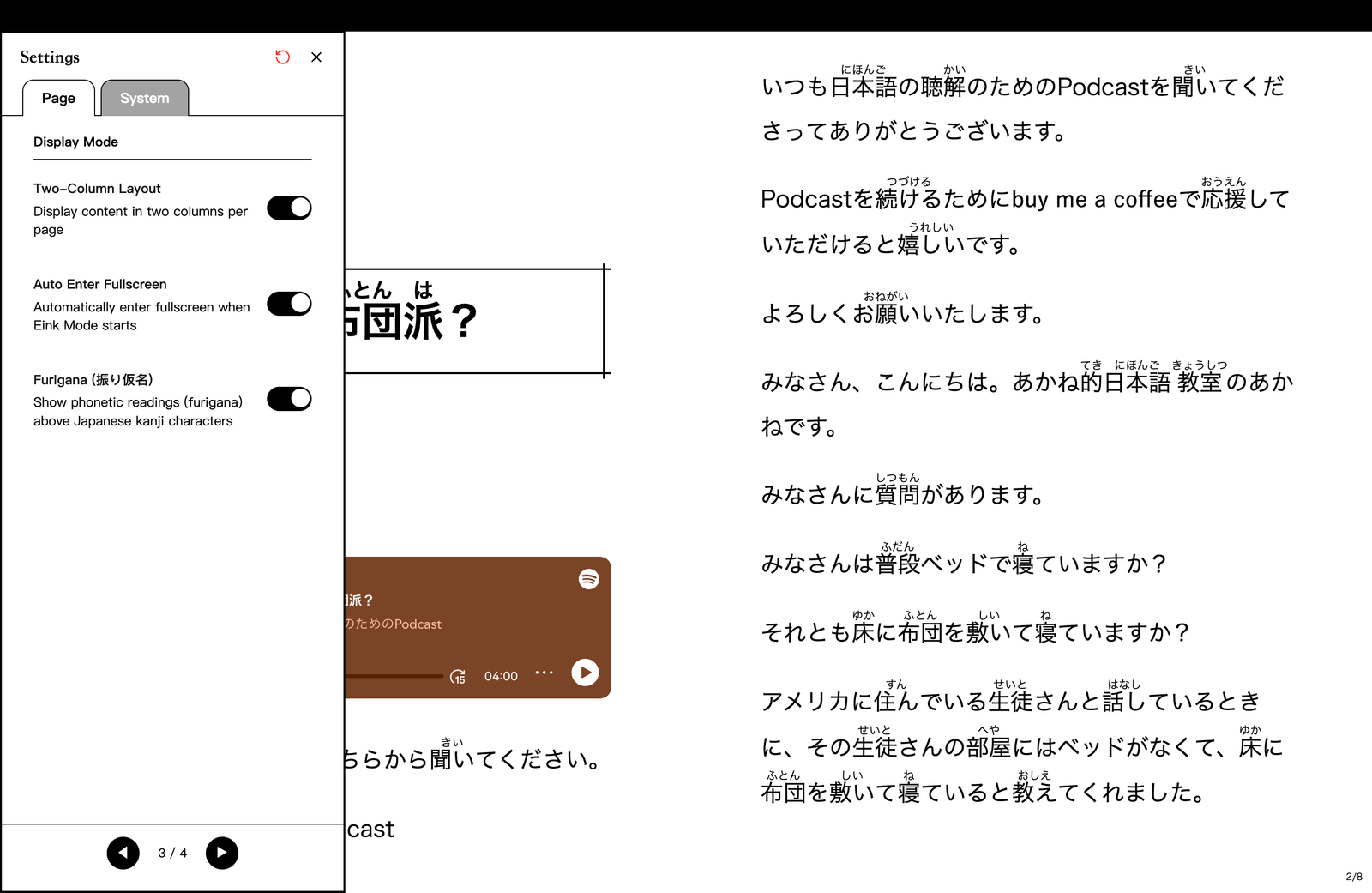
Illustration of enabling automatic conversion of Japanese web pages to furigana in the settings page - Method 2: On a Japanese web page, directly use the default keyboard shortcut (default is the 'r' key) to enable the automatic conversion feature.
Traditional Chinese with Zhuyin, making it easier for elementary school students to absorb knowledge from the internet!
In this update, we have also added the "Zhuyin Yuan-Sui Font" for download in the Traditional Chinese font options. For elementary school students who are still learning to recognize characters, this font can help them absorb knowledge from the internet more quickly, without being hindered by unfamiliar characters that make it difficult to read web content and learn new information.
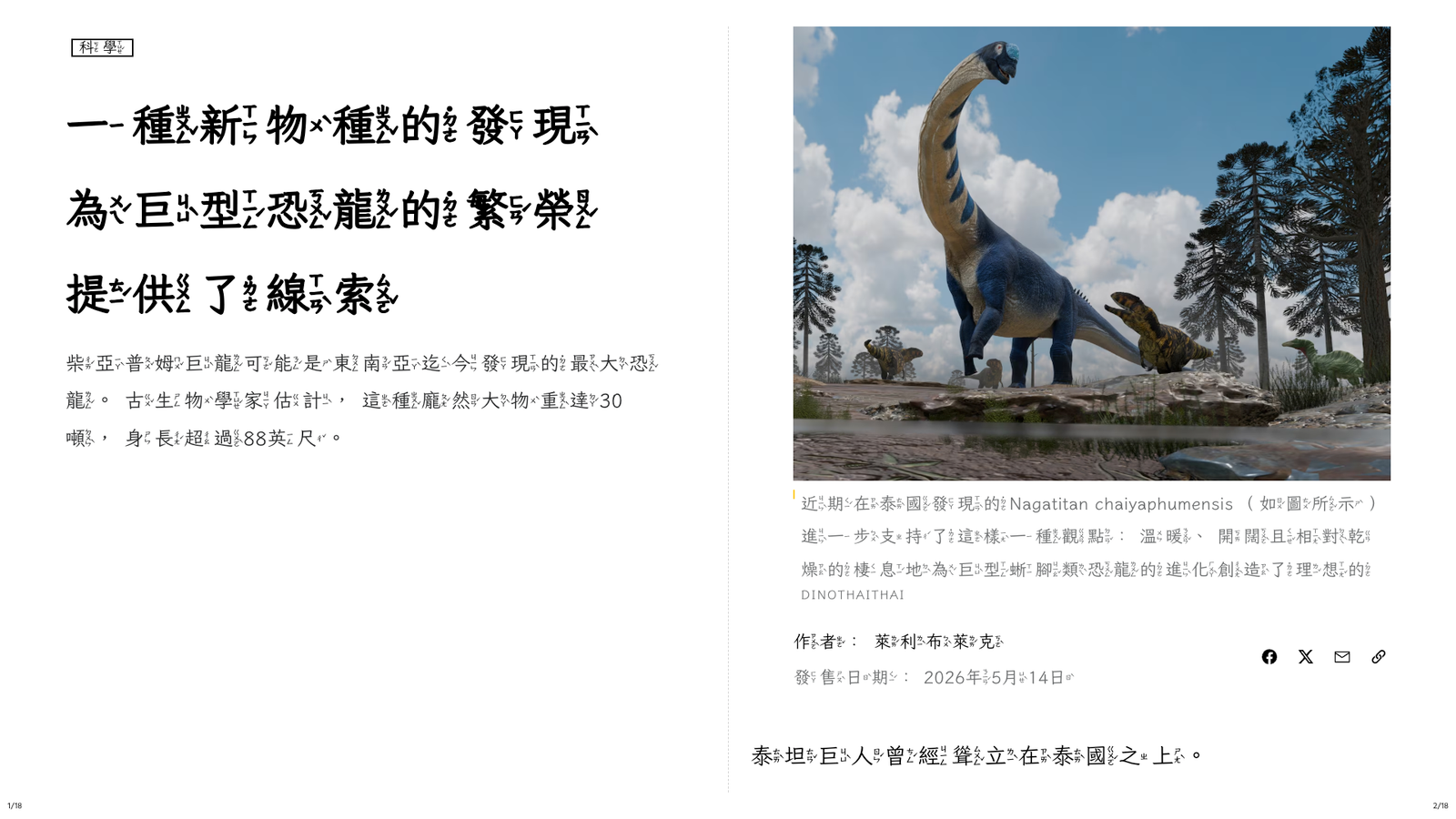
More Traditional Chinese fonts available for installation
In the last update, we provided the popular "Yuan-Sui Font" for Traditional Chinese users, and in this update, we are offering more fonts for users to install according to their needs, without having to pre-install fonts on their computers. The benefit of this is that even on E Ink devices or during cross-device synchronization, there will be no issues with missing fonts.
The currently available fonts are:
- Yuan-Sui Font
- Zhuyin Yuan-Sui Font
- Zhao Yuan Huan Fang
- Xia Wu Wen Kai
- Nai Hai Font
- Si Yuan Song Ti
As for other fonts that are not provided, users can install them on their computers and use them by adding custom fonts in the settings!
Added 18 new system interface languages, allowing users from more countries to operate in their preferred language
In this update, more interface languages can be selected in the system page, with the new language list as follows:
- Bengali (bn)
- Czech (cs)
- Danish (da)
- Greek (el)
- Finnish (fi)
- Filipino (fil)
- Hebrew (he)
- Hindi (hi)
- Italian (it)
- Korean (ko)
- Dutch (nl)
- Norwegian (no)
- Polish (pl)
- Swedish (sv)
- Thai (th)
- Turkish (tr)
- Urdu (ur)
- Vietnamese (vi)
Additionally, the official website has also been updated to include these 18 languages, so you can read our blog articles in your familiar language, hoping to provide you with more convenience.
Other Optimizations and Fixes
Besides the major updates mentioned above, we have also fixed some known issues in this update and made some optimizations to enhance the overall user experience. Here are some details:
- Fixed the issue where the login/logout status on the note management page was not synchronized with the actual status.
- Fixed the issue where mobile devices would mistakenly trigger the E Ink Mode gesture and jump to the last page when swiping down from the top edge of the screen.
- Fixed the issue where the screen would be cut off for mobile users after logging in due to incorrect full-screen status.
- Fixed the issue where the background of E Ink and color E Ink themes was affected by the white background theme.